URA jobs Uganda searches can send you to an old advert, an internal search screen or a shortlist for a recruitment exercise you never entered. Start with the Uganda Revenue Authority website and the particular vacancy notice. A page carrying the URA name is not enough to establish that applications are open.
Last checked: 13 November 2026 against the official URA careers page, application archive and public Taleo search.
This guide explains which pages to use, how to check the requirements before uploading documents, and what evidence to keep after submission. It also separates an application receipt from a shortlist and a shortlist from an appointment. Those distinctions matter when a forwarded message claims you have been selected.
When we checked on 13 November 2026, URA’s external job search showed no open vacancies and its applications archive still pointed to a February 2026 advert. New notices appear without warning, so check again before you apply.
Use the route checks below when a new notice appears. For the wider process across employers, read our Uganda job application guide. Here, the focus is specifically URA’s pages, evidence requirements and recruitment messages.
Table of Contents
URA jobs Uganda: where should you start an application?
Start on URA’s official website, open Careers and follow the route given in the current vacancy notice. Check the job description, eligibility and deadline before creating or using an account. Submit only through the stated channel, attach the requested evidence and retain the acknowledgement. A shortlist notice is not an invitation to apply.
URA’s Experiential Hiring page describes recruitment that considers demonstrated skills and experience alongside qualifications. The external advert dated 28 July 2025 directed applicants through Careers and Experiential Hiring. That advert closed on 16 August 2025, so its application period has passed.
Use that historical notice to understand the evidence URA has requested, not to invent requirements for a future exercise. Its online-only rule, maximum number of applications and qualification restrictions belonged to that advert. A new notice must be read on its own terms.
Distinguish the careers page, Taleo search and programme portal
Several genuine URA pages can appear in one search. They perform different jobs. The safest route is the one linked from the relevant official recruitment notice, rather than whichever login page happens to rank first.
| Page checked | What was visible | How to use it |
|---|---|---|
| URA Job Applications archive | A reference to an external advert for February 2026; no downloads listed on the page checked. | Look for the actual dated notice. An archive label alone does not establish an open application period. |
| External Taleo job search | No jobs matched the search criteria at this check. | Recheck through URA’s current notice. An empty search is not a universal statement about every recruitment activity. |
| Taleo advanced job search | A search form with requisition and other filters. | Do not assume a saved search address is the right route for an external applicant. |
| careers.ura.go.ug | An EACFFPC programme page and login. | Do not treat this programme login as a general vacancy list merely because of the subdomain name. |
If a link opens only a sign-in screen, go back to the official notice and check its destination again. A working login does not confirm the existence of a vacancy. Equally, a search page with no results may reflect its filters or a closed application window; it cannot tell you why without further evidence.
Record the notice title and exact job reference before moving between pages. That small record helps you recognise when a search result has switched you from an external vacancy to a different programme or an old recruitment stage.
Read the role requirements before deciding you qualify
URA does not publish one qualification that makes everyone eligible for every job. The role description determines the relevant education, experience and other conditions. Read the minimum and any maximum qualification carefully; a higher award is not automatically an advantage when a notice explicitly restricts applicants.
The July 2025 advert provides a useful historical example. It barred degree holders from its Fleet Assistant and Office Assistant positions and set a diploma as the maximum qualification for those posts. It also limited applicants to two positions. Neither instruction should be carried into a new exercise unless the new notice states it.
| Check in the current notice | Evidence to identify | Do not substitute |
|---|---|---|
| Accepted award and subject | The certificate and transcript for the qualification you actually hold. | A course with a similar name that the notice does not accept. |
| Relevant employment or practical experience | Accurate dates and duties, supported by records where requested. | A job title without an explanation of the relevant work. |
| Professional training or registration, if required | The exact credential and its current status. | An intention to enrol described as a completed qualification. |
| Applicant restrictions and permitted choices | The wording about who may apply and any application limit. | Rules copied from an unrelated or expired URA advert. |
For illustration, an accounting graduate considering an administrative post should compare the accepted disciplines with the actual award, then identify evidence for the specified duties. Interest in tax administration does not replace a required qualification. If the award wording is unclear, ask the recruitment contact before claiming that it is equivalent.
A student awaiting final documents should describe that position truthfully. Do not enter a completed award date just to get past a compulsory field. Ask the official contact whether the available academic evidence is acceptable for that particular application.
Build a document file that supports every claim
The July 2025 notice required scanned academic evidence relevant to the job description and warned that an unattached qualification would not be considered. It mentioned transcripts, secondary-school documents, degree certificates and other relevant training. This is why uploading only a CV can leave a URA application incomplete.
Use a requirement-to-file check rather than uploading an unlabelled bundle. Use the table as a checklist; the current advert and upload fields decide what is compulsory.
| Your preparation record | What to check before upload |
|---|---|
| Qualification claimed in the form | The named award matches the certificate and transcript. |
| File assigned to that qualification | The scan opens and includes all the pages needed to verify the claim. |
| Personal details across records | Names and dates are consistent; any difference has an explanation acceptable to the recruiter. |
| Portal attachment instruction | The file type and size satisfy the actual field, with no invented universal limit. |
| Final uploaded copy | The right file is attached to the right application, not just stored on your phone. |
If you are scanning documents at a bureau in Kampala or another town, open the returned files yourself. Check that stamps, grades and page edges remain readable. Ask the operator to remove your copies from shared equipment when finished, and do not leave your account signed in.
For your CV, use our Uganda CV writing guide to organise truthful work evidence. It does not replace URA’s form or academic attachments. Keep a separate copy of the exact documents used for this application so you can explain every entry later.
Complete the application, then keep evidence of submission
Treat preparation, saving and submission as separate actions. URA’s historical advert allowed applicants to save incomplete work and return within the application period. It also said a submitted application would receive an acknowledgement by email. Saving work alone therefore should not be treated as proof that it was submitted.
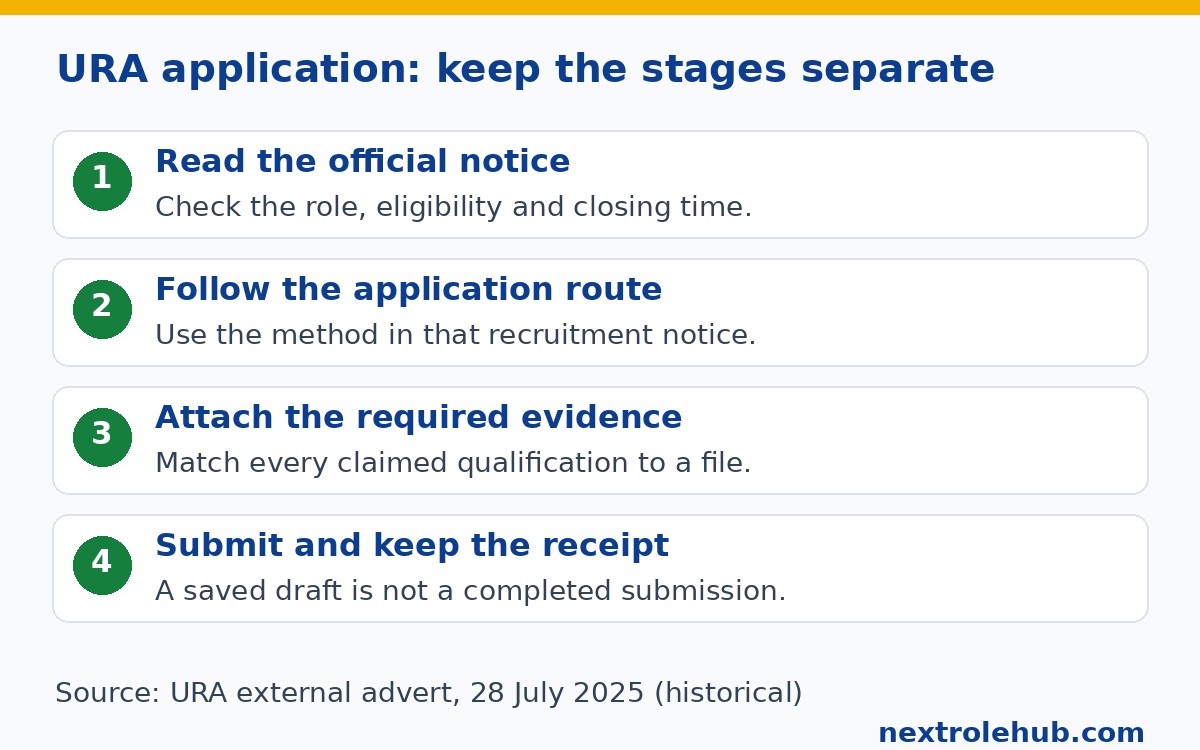
- Read and save the official notice, including the vacancy reference and closing instructions.
- Follow its application link. Use an email account you control and can continue checking.
- Complete the required fields from your real documents, using consistent education and employment dates.
- Attach the specified evidence and review the application against the role requirements.
- Finish the portal’s submission process before the stated deadline, then save the confirmation and any acknowledgement email.
The public Taleo search includes account and submission navigation. Screens change from time to time. Follow the labels displayed in your own application and avoid treating a profile update as confirmation of a separate vacancy submission.
Keep your application record private: job reference, submission date, candidate or application identifier where supplied, and the confirmation message. The July 2025 notice did not publish a guaranteed acknowledgement delivery time. Do not invent a waiting period or repeatedly submit because an email has not arrived immediately.
An acknowledgement confirms receipt, not eligibility or selection. Before closing your records, check that the acknowledgement refers to the intended post. If it names a different vacancy, resolve the mismatch through the official recruitment contact rather than assuming it will be corrected automatically.
If the portal is empty, a login fails or confirmation is missing
An empty search is a reason to verify the notice, not to send your documents to a stranger offering an alternative link. Compare the notice date and closing date, then reopen the route from URA’s official website. Do not convert an expired advert into a current opportunity because its application page remains searchable.
- No matching jobs: check any filters you applied and confirm that the specific vacancy is still within its official application period.
- Account access problem: use the recovery option on the same recruitment system. Do not reset a different programme account merely because it also belongs to URA.
- Upload failure: check the field’s displayed format and size limits, then make a readable compliant copy. Keep the original document unchanged.
- Missing receipt: inspect your mailbox and spam folder, then check the application record available in your account before seeking help.
For an enquiry, the historical advert and shortlist notice identify [email protected]. Reconfirm the address in the current official notice before writing. Describe the vacancy, the action attempted and the error; include a redacted screenshot if useful. Never send a password, recovery code or full bundle of identity documents to explain a login problem.
A technical problem does not establish an extension or permission to apply by email. Only an official instruction can change the accepted route or closing time. Keep a record of the problem and your enquiry, but do not describe that record as a completed application.
Check the right shortlist and read what the stage means
URA’s general careers page says applications are assessed against qualifications, experience and job requirements, with shortlisted candidates invited for interviews. A particular exercise may include additional assessment stages. Use that exercise’s notice to establish what happens next instead of treating every shortlist as a job offer.
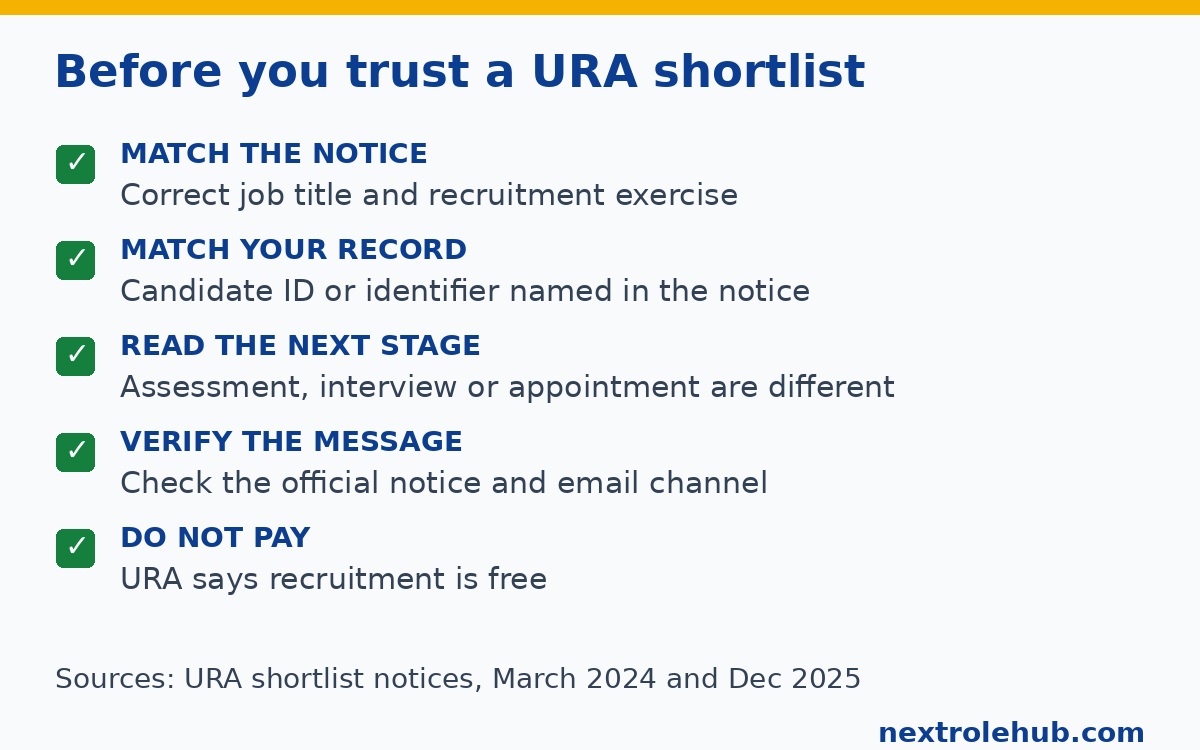
The December 2025 external shortlist page for Administrative Officer, Fleet Assistant and Office Assistant uses Candidate ID and Job Title columns. Its date makes it a historical notice. A person looking for a different recruitment exercise should not interpret absence from that page as a result for their own application.
URA also published a February 2026 interview-stage notice for those job titles. That is evidence of a named recruitment stage, not evidence that applications for those posts are open now. Shortlisting, interview and appointment publications must be read separately.
The URA supervisor notice dated 2 March 2024 referred to application identification numbers and said selected candidates would receive communication through [email protected]. It concerned applicants who had taken written assessments in December 2023. Its outcome instructions apply to that historical exercise, not every person who has since applied to URA.
- Match the job title and recruitment exercise before searching any list.
- Use the candidate or application identifier specified in that notice, checked against your saved record.
- Read the next-stage instructions, including any documents, venue and timing actually published.
- Verify an unexpected invitation through the official notice or recruitment contact.
- Keep the message and prepare only for the stage you have genuinely been invited to.
URA does not publish a standard shortlisting score, response time or interview question set. If invited, use our Uganda interview preparation guide for practice, while letting URA’s own invitation determine the assessment arrangements.
Reject payment requests and claims of inside influence
URA states in its external advert and historical supervisor shortlist notice that recruitment is free. Do not pay an individual to register you, place your identifier on a list or secure an appointment. A recruitment fee demand contradicts that official warning, even if the message includes a convincing logo.
The July 2025 advert also warned against lobbying and false information, with disqualification among the stated consequences. Keep your application factual. Do not give a broker permission to edit your qualifications or claim that a private payment can bypass screening.
A message displaying a familiar sender name is not enough. Check the address, the job reference and the notice it claims to follow. Do not open an unfamiliar attachment or share an account code just because the sender knows the post you applied for. Preserve suspicious messages and report them through independently verified URA contact details.
Printing, data or transport expenses you arrange yourself are separate from a fee charged for recruitment. Paying a bureau to scan your own documents does not buy access to selection. Keep control of the account and perform the final checks yourself.
Questions applicants ask about URA recruitment
Can I send my CV to the recruitment email instead of using the portal?
Use email as an application route only if the current official notice explicitly allows it. The July 2025 advert required online applications and gave the recruitment address for enquiries. Those are different purposes. A third-party page may place an email application button beside copied online-only instructions; that button does not override URA’s own notice.
Does a higher qualification always make me eligible for an assistant job?
No. A notice can impose a maximum qualification as well as a minimum. URA’s July 2025 exercise excluded degree holders from its Office Assistant and Fleet Assistant positions. That is a historical example, not a permanent rule for every assistant vacancy. Read the current role description and applicant restrictions rather than leaving out a qualification to appear eligible.
Can I apply again when URA re-advertises a post?
Read the re-advertisement carefully. The July 2025 notice specifically told interested applicants from the stated 2024 exercise to apply again. A previous submission therefore did not automatically replace the requested new application in that case. A future re-advertisement may give different instructions, so keep its wording with your application record and do not assume automatic carry-over.
What if my candidate identifier is missing from a shortlist?
First establish that it is the correct job and recruitment exercise, and that you are using the identifier the notice requests. Then read the outcome instructions for that list. The March 2024 supervisor notice said absent identifiers were unsuccessful in that exercise. Do not apply that old decision to another recruitment round or pay someone who offers to add your identifier.
Is there one URA aptitude-test pass mark I should prepare for?
URA does not publish a pass mark. Do not treat a practice website’s score as URA’s selection threshold. Use the actual invitation to confirm the assessment type and permitted materials. Prepare truthful examples relevant to the job description, and avoid anyone claiming to sell guaranteed questions, leaked answers or a place on the next list.
Does this guide confirm URA is hiring today?
No. At the check recorded above, the external Taleo search returned no matching jobs and the application archive referred to a February 2026 advert. Those observations are limited to the pages checked. Confirm any new vacancy through URA’s current official notice before preparing an application. A recent repost date, working account screen or old shortlist is not proof of a new opening.
Keep the notice, the evidence and the outcome separate
A useful URA jobs Uganda search ends with a verified notice and a clear next action, not a collection of forwarded posters. Confirm the page’s purpose, read the specific eligibility rules, and attach evidence that supports your claims. After submission, retain the receipt and check only the shortlist that belongs to your exercise.
While waiting for a suitable notice, compare other government vacancies in Uganda or accounting and finance opportunities. Read each employer’s own application instructions.
If you later receive an offer, confirm the employer’s actual gross pay, benefits and deductions in writing. Our PAYE and NSSF payslip guide explains those separate payroll questions; it does not establish a URA salary. No national salary scale or online average should be treated as the terms of a URA appointment without confirmation.